DeskCAT™ represents a state-of-the-art multi-layer optical CT scanner specifically designed for academic instructors to simulate the principles and processes of medical imaging in educational settings. Each scanner is equipped with unlimited software licenses, phantoms, and three introductory experimental practice sessions. This product was collaboratively developed by Modus Medical Devices in partnership with the London Regional Cancer Program and imaging and education specialists from Western University.
Product Features:
- A safe, convenient, and portable multi-layer optical CT scanner that operates without the use of potentially harmful X-rays.
- Capabilities for acquiring, reviewing, and reconstructing 3D CT images.
- Real-time quantitative CT scanning.
- Simulation of imaging artifacts.
- Hands-on, intuitive, and interactive software.
- Comprehensive teaching of radiological principles.
- Includes models, experimental exercises, and software.
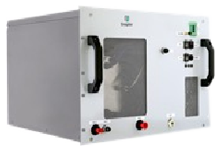
The DeskCAT™ scanner weighs 10 kg, with dimensions of 63 cm in length, 23 cm in width, and 33 cm in height. It utilizes a cone-beam geometry, CMOS cameras, and LED light sources. The phantom material is translucent and can rotate 360 degrees when attached to a turntable. The scanner connects to a computer (not included) and interacts with DeskCAT™ software and experimental exercises.
Interactive Learning:
DeskCAT software and phantoms are designed to facilitate students' understanding of medical imaging principles in classroom or laboratory environments, enabling them to acquire, review, and reconstruct CT images without exposure to potentially harmful X-rays.
 User-Friendly Software:
The DeskCAT™ scanner and associated software eliminate the need for harmful X-rays, allowing trainees to engage in hands-on training for CT image acquisition, reconstruction, and review in classroom or laboratory settings, thereby mastering CT imaging principles.
 Interactive Learning Methodology:
The software interface, as illustrated in the screenshots, features a layout with four windows that display image data from different perspectives. Each window can be enlarged for detailed analysis.
A) Camera View Window: Displays real-time projection images of the phantom within the water tank.
B) Centre Slice Sinogram Window: Shows the central slice sinogram of the scan, updating in real-time with changes in projection angle during scanning.
C) Slice Reconstruction Window: Displays the reconstructed central slice image, updating in "real-time mode" as the projection angle changes during reconstruction.
D) 3D Reconstruction View Window: Enables observation and manipulation of images in three-dimensional space.
 Certification Objectives:
With the use of DeskCAT™, teaching CT imaging has never been more accessible. The real-time acquisition, reconstruction, and display of projection and tomographic images facilitate dynamic demonstrations of CT imaging principles in the classroom. Each scanner is accompanied by corresponding experiments, allowing students to flexibly grasp the principles of CT imaging.